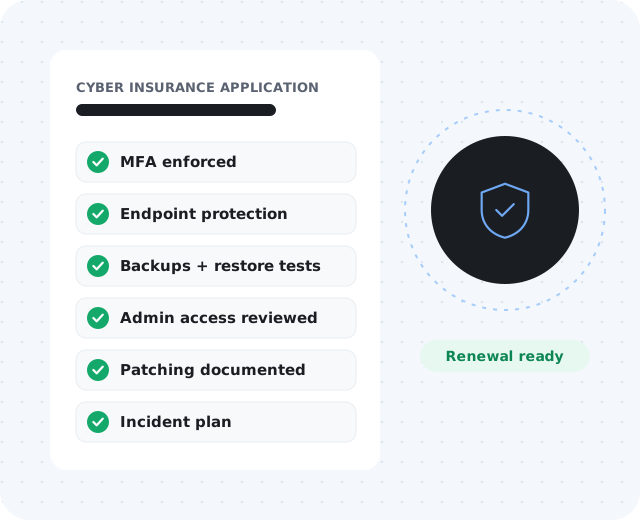
Why applications ask detailed questions.
Carriers want to understand how a business reduces risk and how prepared it is to respond. For many small businesses, the application reveals that key security details are scattered, outdated, or unclear.
The answers matter: incomplete or inaccurate responses can create problems during underwriting or after a claim.
1. Multi-factor authentication.
MFA is one of the most common requirements. Confirm it is enforced — not just available — on:
Email & productivity
Microsoft 365 or Google Workspace.
Remote access
VPN and any remote desktop tools.
Admin & backup
Administrator accounts, backup systems, and cloud portals.
Finance & business apps
Banking portals, password managers, and line-of-business apps.
2. Endpoint protection.
Document the product, which devices are covered (including servers), who monitors alerts, how agents update, whether devices can be isolated remotely, and what happens when a device falls out of compliance. Coverage gaps are easier to fix when they are visible.
3. Backup and recovery.
Review what is backed up, frequency, retention, storage location, ransomware protection, alerting, restore testing, and estimated recovery time.
4. Access controls.
Strong access controls keep one compromised account from becoming a larger incident.
- Know who has admin rights
- Separate admin accounts from daily-use accounts
- Approve access deliberately and remove it at offboarding
- Eliminate shared accounts where possible
- Close old vendor and former-employee accounts
5. Patch and update practices.
Document how operating system, third-party application, and firewall or network firmware updates are handled, how urgent patches are prioritized, and who verifies update status. Patch management does not need to be complicated, but it should be intentional.
6. Documentation and incident response.
An incident response plan does not need to be a large enterprise document — just clear enough to help people act quickly. Your business should know:
- Who to contact during a security incident
- Who manages email and backups
- Where system documentation is stored
- Which vendors need to be notified
- Which systems are most critical
- Who can make emergency decisions, and how staff report suspicious activity
7. Security awareness.
Human error is still a major source of risk. Consider documenting phishing awareness training, new-employee security onboarding, password manager expectations, suspicious-email reporting, sensitive data handling, and periodic refreshers.