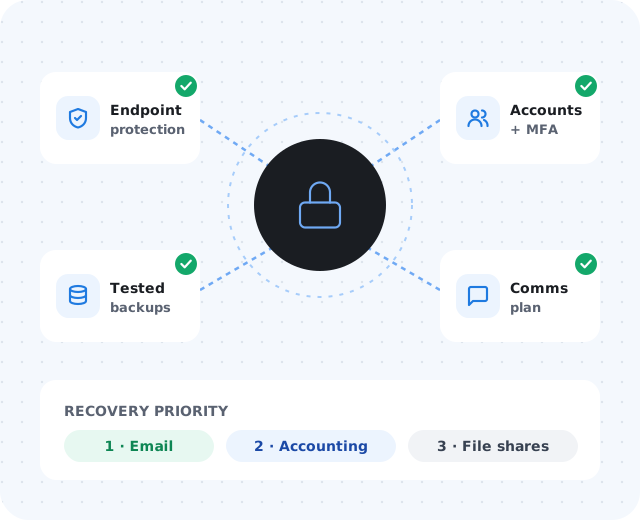
Why ransomware planning matters.
A ransomware incident can interrupt much more than computers — scheduling, billing, phones, customer service, production, field work, and leadership decisions. If these answers are not documented ahead of time, the response becomes slower and more stressful:
- Which systems are affected — and can employees still work?
- Are backups available and clean?
- Who contacts customers, vendors, and cyber insurance?
- What must be restored first, and who can make emergency decisions?
- What information should be preserved for investigation?
Start with critical systems.
Identify the systems the business depends on most — file storage, accounting, email, Microsoft 365 or Google Workspace, line-of-business apps, phones, remote access, servers, and cloud platforms. For each one, document:
Purpose & owner
Business purpose, primary owner, and support vendor.
Admin location
Where the system is managed and who has access.
Backup status
What is backed up, and how recently it was verified.
Recovery priority
What comes back first, and what depends on what.
This helps the business understand what must come back first and what can wait.
Review endpoint protection.
Workstations and laptops are common entry points for attacks. Protection only helps if it is deployed consistently and someone responds to alerts. Review whether:
- All workstations and servers are covered
- Alerts are monitored by someone responsible
- Devices receive updates consistently
- Old or unmanaged computers no longer have access
- Remote users are protected
- Security tools can isolate a device if needed
Strengthen email and account security.
Phishing and stolen credentials are frequent starting points for ransomware. The goal is to keep one stolen password from becoming a business-wide incident.
- Multi-factor authenticationOn email, remote access, and every admin account.
- Password manager useUnique, strong passwords without the sticky notes.
- Conditional access and disabled legacy authenticationBlock sign-ins that do not fit how your team actually works.
- Regular admin and former-employee account reviewsRemove access that is no longer needed.
- Security awareness trainingHelp staff recognize phishing before they click.
Make backups practical, not assumed.
"We have backups" is not enough. A backup that cannot be restored when needed is not a recovery plan. Your business should know:
Create a communication plan.
During an incident, email may be down and shared documents unreachable. A short plan, clear enough to use under pressure, should cover:
Internal & alternate contacts
Emergency contacts and a way to reach them without company email.
Insurance & IT escalation
Cyber insurance, IT support, and legal or compliance contacts.
Customer & vendor owners
Who speaks to customers and vendors, and when.
Staff guidance
What employees should and should not do.
Document first response steps.
When ransomware is suspected, employees should not be left guessing. Review the exact steps with your IT provider; typical first moves include:
- Disconnect affected devices from the network
- Preserve evidence — avoid unnecessary restarts
- Contact IT support immediately
- Report suspicious emails or pop-ups
Cyber insurance applications increasingly ask about these same controls — MFA, endpoint protection, backups, patching, incident response, and training — so a readiness review also helps before renewal.